

R4L Fixed WindowsBeta
Generate clean fixed-window frames, glass/infill, divisions, materials, and organized bake layers.
Open tool page →Beta
Windows is the first R4L Tools category: a compact toolkit for generating architectural window geometry without rebuilding the same frame, glass, track, and divider logic again and again.

Included tools
Each tool page is structured as a sales presentation first, then a practical usage guide below.
Generate clean fixed-window frames, glass/infill, divisions, materials, and organized bake layers.
Open tool page →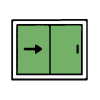
Generate sliding window systems with tracks, panels, glass, overlap logic, mosquito screen options, and 2D arrows.
Open tool page →
A planned hinged-window workflow for casement-style studies, panels, frames, glass, and opening symbols.
Open tool page →
A future advanced fixed-window workflow for segmented guide axes, facade-like studies, and more flexible module logic.
Open tool page →Category workflow
The R4L structure is intentionally simple: use controls to generate the architectural object, preview it inside Rhino, then bake clean geometry into organized layers when it is ready.